


A practical business scenario. A hypothetical home décor shop has a strong photograph of one ivory ceramic vase and a weak plan for promoting it. The owner needs seasonal creative for social posts and email. Booking four new shoots is difficult, but publishing twelve nearly identical graphics is not much of a campaign either.
Adobe Firefly is worth considering here for a bounded job: exploring the settings around the product. The retailer should keep its approved product photograph as the source of truth, then use a designer or capable marketing operator to turn selected concepts into finished layouts. The interesting question is not how many images the AI can generate. It is how many accurate, usable promotions the business can approve without creating a larger review problem.
Scenario and figures are illustrative. This article describes a proposed workflow, not a customer case study, completed Firefly test or measured productivity result. Adobe documentation checked October 29, 2026. The cover is an AI-generated editorial illustration created with OpenAI, not a Firefly output or a photograph of an actual retailer.
The brief: one vase, four campaign ideas, twelve exports
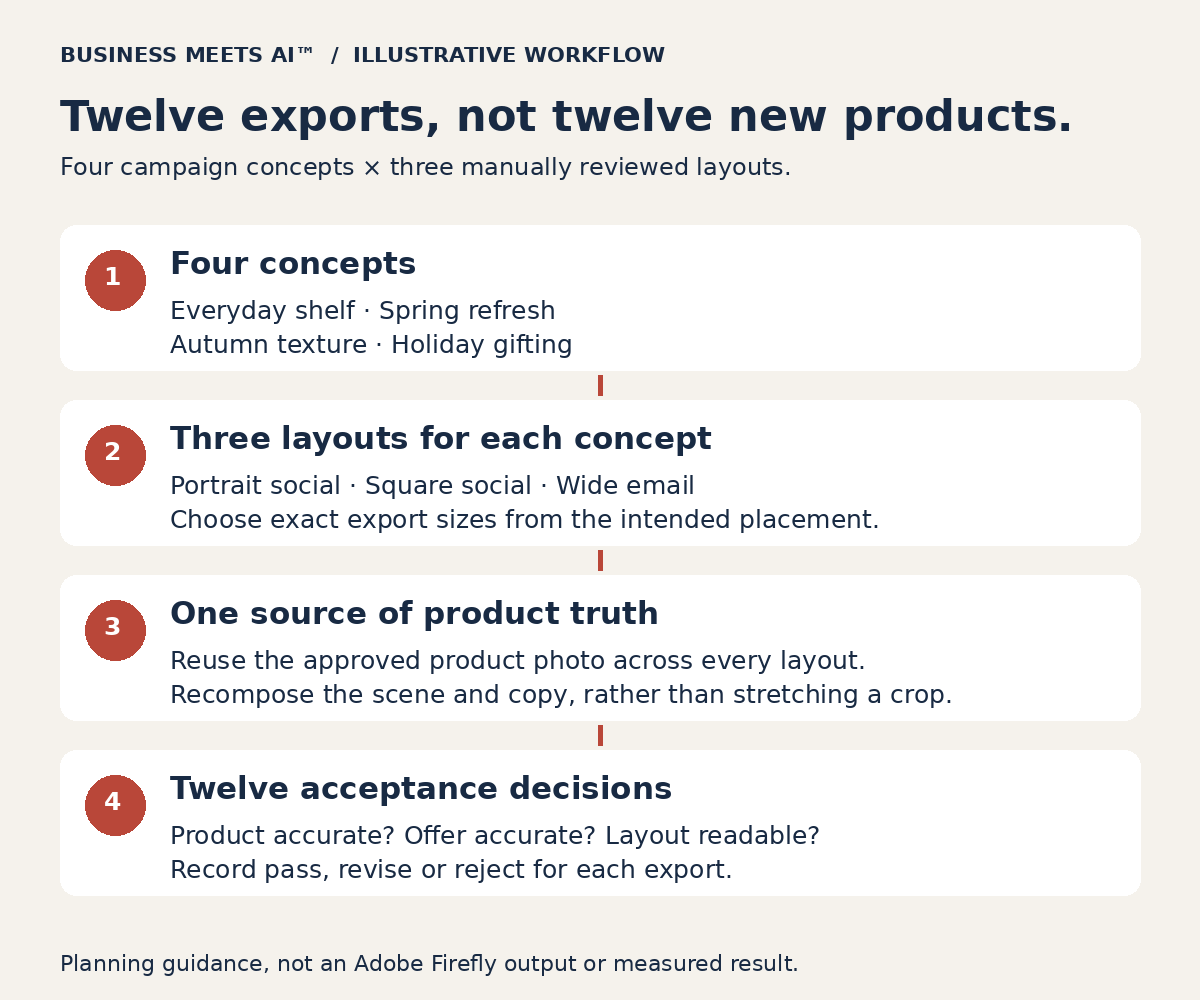
Imagine the shop already owns an approved front-facing product photo, a clean cutout, its logo files and a short brand guide. Its four concepts are an everyday shelf, a spring refresh, autumn textures and holiday gifting. Each concept needs three layouts: portrait social, square social and a wide email image. That produces twelve deliverables, not twelve different products and not necessarily twelve months of scheduled content.
The product specification stays fixed. A ribbed ivory vase cannot become a smooth white vase because a generated scene looks attractive. Nor should a small table vase appear large enough to sit on the floor. The owner also needs to decide whether flowers, gift boxes or other props could make customers believe those items are included.
Why the current process keeps stalling
The retailer’s bottleneck is coordination. The owner sends an incomplete brief, someone finds a background, a designer prepares a graphic, and only then does the owner notice the product scale or offer is wrong. Resizing the approved graphic creates another round of changes because the headline no longer fits.
AI will not solve an undecided promotion. Before opening Firefly, assign one person to approve the product representation and one person to produce the files. They can be the same person in a very small business, but the responsibilities still need to be explicit. Agree on the offer, deadline and intended placements first.
What to have ready before generating anything
- Approved product material: the original high-resolution photograph, a usable cutout, the SKU and a short factual checklist covering shape, finish, colour and dimensions.
- Permission to use it: confirm that the photographer agreement and any stock licences allow the intended editing, uploads and advertising use. Owning the product does not mean owning the photograph.
- A campaign brief: audience, message, offer, dates, landing page and a list of props that are allowed or forbidden.
- Editable brand assets: licensed fonts, logos, colour values and examples of acceptable typography. Add precise copy and prices in the layout application rather than asking the image model to typeset them.
- A production route: a person who can composite layers in an appropriate editor. Verify access to the specific Firefly model and app features before promising this workflow.
A workflow that protects what the customer is buying
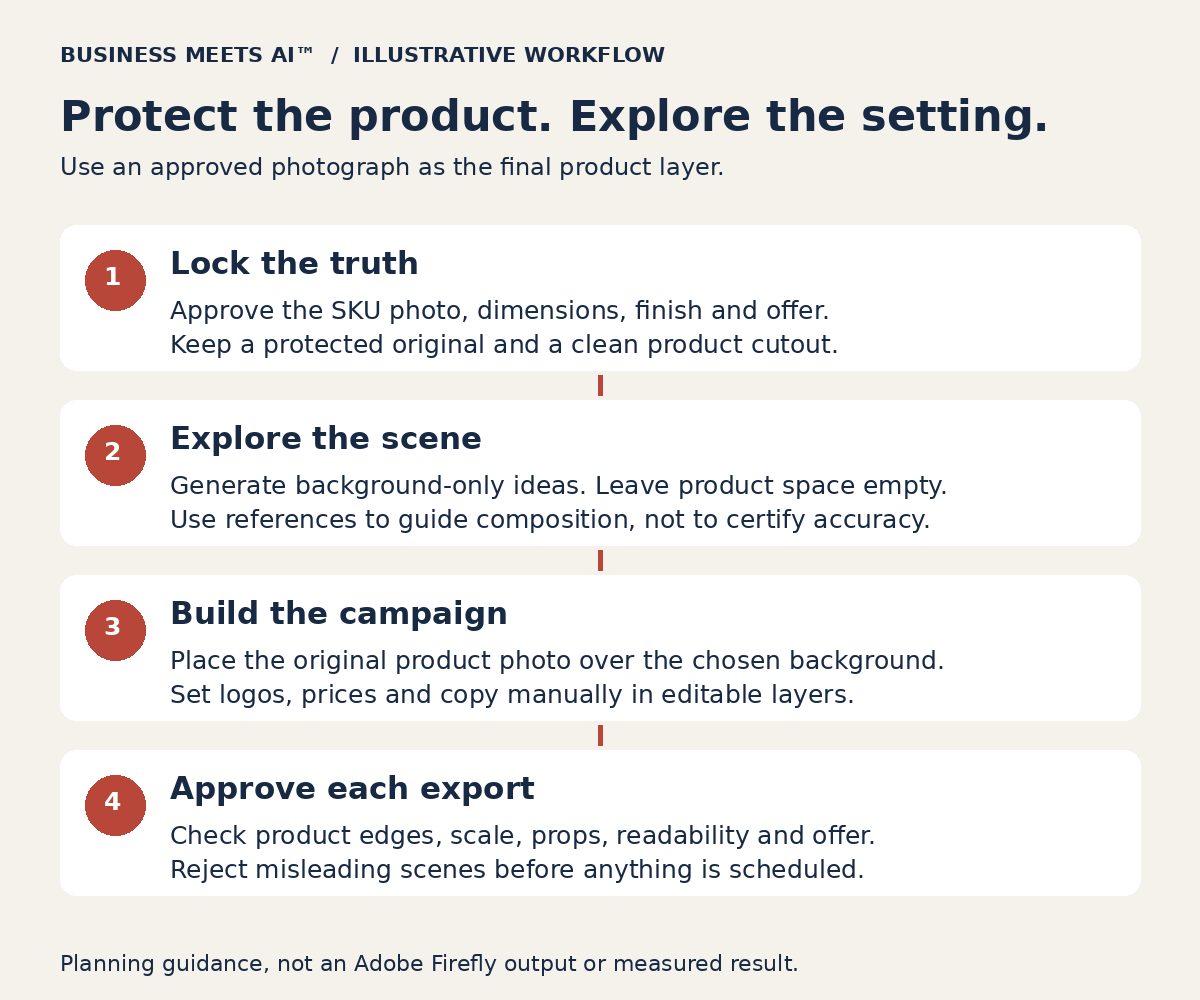
1. Write the scene brief without asking AI to recreate the product
Start with a background-only request. An illustrative prompt might be: “A quiet home décor campaign background: warm neutral plaster wall, pale oak shelf, soft window light from the left, empty central display area and clear negative space on the right for a headline. No vase, no products, no lettering or logos.”
This prompt is a starting brief, not a tested recipe. The operator still needs to reject clutter, impossible lighting and scenes that cannot accommodate the real photograph. Generate a small initial set, choose a direction, then revise one problem at a time. Endless variation is work, even when the software makes it easy.
2. Use references to guide the scene, not to certify the SKU
Adobe documents composition references that influence how elements are arranged. That is useful for reserving a shelf and copy space. It does not establish exact product reproduction. Check which reference controls the selected model actually offers; Adobe and partner models do not have identical settings. Adobe’s composition-reference guide explains the supported control.
3. Composite the approved product photograph
Place the original cutout on a separate layer over the chosen background in Photoshop or another suitable editor. Keep the original file unchanged. Adjust placement and the surrounding scene rather than regenerating a product that must remain accurate. Review edge halos, contact shadows, reflected colour and perspective. If making the scene believable requires changing the product’s finish or shape, choose a different scene.
Photoshop also supports selection-based generative editing with model-specific controls. That can help an operator target surrounding areas, but a selection is not a substitute for checking the exported product. Keep the approved product layer protected and inspect the final flattened file against the original. See Adobe’s selection-based editing documentation.
4. Build the offer in editable layers
Add the actual logo, price and copy manually. A sale date or discount must match the approved promotion and destination page. Do not introduce “handmade,” “sustainable,” “limited edition” or other claims just because they fit the scene. A visual concept is not evidence for a product claim.
Turn one approved concept into three usable layouts
Do not stretch one finished image into every format. Reposition the product and headline for each canvas. The following sizes are this pilot’s chosen working canvases, not a statement of every platform’s current requirements. Confirm the destination placement before exporting; social interfaces and email templates crop differently.
| Working layout | Pilot canvas | Manual check |
|---|---|---|
| Portrait social | 1080 × 1350 px | Product and essential copy survive the intended feed crop. |
| Square social | 1080 × 1080 px | The scene is recomposed, not squeezed; price stays readable. |
| Wide email | 1200 × 600 px | Message remains understandable at a narrow email width; important offer details also appear as live email text. |
Use the current template or placement preview to check the result. Adobe Express has a Resize image Quick action; its broader design-resizing capability has plan conditions. Resizing does not perform a product-accuracy or accessibility review. In email, write useful alt text and do not make the image the only place a customer can find the offer or link.
Approve the image as a customer would read it
Give the reviewer the approved photograph and product specification, not just the attractive new graphic. Use three decisions: pass, revise or reject.
- Product truth: no unapproved change to silhouette, ribbing, colour, opening, base or apparent size. Check the export at full resolution and at its expected display size.
- Scene truth: no reflection suggesting a different product, no physically impossible support, and no props implying an included bundle. Add context if scale could mislead.
- Offer truth: price, dates, availability and landing page agree. Stop the campaign if the underlying offer changes.
- Brand and usability: correct logo, licensed type, legible contrast and a meaningful next action. Test an actual email preview rather than relying on a large desktop image.
A failed image should not be rescued merely to justify time already spent on it. Returning to a plain product photo and a clean template is a valid outcome.
Commercial use needs a model and rights check
Adobe’s generative-credits FAQ permits commercial use of Firefly outputs from features without a beta label. Beta features require checking any explicit product restriction; eligible customer indemnification does not extend to beta output under that FAQ. Permission to use an output is not a guarantee of exclusivity, copyright protection or clearance of every depicted element.
Identify the model, application and feature used in the production record. Firefly can also expose partner models. Review the applicable provider conditions rather than extending Adobe-model assurances to every partner output. Adobe’s partner-model documentation describes model-dependent usage and the sharing of prompts and reference files needed for generation.
Do not upload confidential product launches, customer photographs or other restricted material without the appropriate permission. Adobe’s Generative AI User Guidelines address third-party rights, inaccurate outputs and Content Credentials. Preserve attached credentials as required. If the shop needs a blanket legal guarantee, this article cannot supply one.
Count review time as well as generative credits
Before the pilot, check the current Adobe plan comparison and the intended account. A Firefly subscription should not be treated as automatic access to every desktop creative application. Verify the actual editor, feature, model and licence available to the operator.
Adobe distinguishes standard from premium generations, with usage varying by feature, model and output. Some plans provide unlimited standard generations, while premium tasks consume the included credits. Partner-model usage is premium. Read the current account’s generation cost before running a batch; do not assume that twelve finished graphics require twelve credits.
The useful cost record is: generation attempts and credits, operator time, reviewer time, extra editing or stock licences, and accepted exports. Divide the incremental production cost by accepted exports, not by the number of images generated. If the shop already has the required subscription, record that fact separately from any new expense.
A hypothetical time budget, including the point where savings disappear
Planning assumptions only: both routes use the same approved product photo and produce twelve finished exports. The conventional route uses existing licensed backgrounds and manual layout work. The assisted route adds generated background concepts. Neither route below has been timed or tested by Business Meets AI™.
| Activity | Conventional route | Firefly-assisted route |
|---|---|---|
| Brief and source preparation | 45 min | 45 min |
| Background sourcing or concept exploration | 120 min | 75 min |
| Compositing and twelve layouts | 180 min | 150 min |
| Review and corrections | 60 min | 90 min |
| Export and placement checks | 30 min | 30 min |
| Assumed total | 435 min / 7.25 hours | 390 min / 6.5 hours |
| Illustrative labour at $35/hour | $253.75 | $227.50 |
| Illustrative labour per accepted export, if all 12 pass | About $21.15 | About $18.96 |
These chosen assumptions leave only 45 minutes, or $26.25 in labour, between the routes before any incremental subscription, credit or licensing cost. One additional hour of corrections would make the assisted route take 7.5 hours and cost $262.50 in labour, exceeding the conventional assumption. The model is useful precisely because the result can reverse. Replace every assumption with the shop’s own observed time before making a purchase or staffing decision.
When Firefly may be the wrong choice
Keep conventional photography or a controlled rendering workflow when a campaign must demonstrate an exact dimension, finish, safety feature or functional use. A generated lifestyle scene is poor evidence for “this is what fits inside it” or “this is how it performs.” The same caution applies when there is no one qualified to judge compositing, licence conditions are unresolved, or an approved template already does the job cheaply.
For a shop needing only one new graphic, the learning and review overhead may exceed the value of the variation. A small business does not need an AI workflow merely because the software offers one.
Run a small pilot before committing to all twelve
Start with the everyday shelf and spring concepts. Produce three layouts for each, giving six candidate exports. Keep the generation budget and working time bounded. For example, the owner could set a four-hour operator-and-review cap plus a credit cap chosen after checking the actual model’s displayed cost. That is a proposed stop rule, not a Firefly capability or recommended universal budget.
- Require six of six approved exports before releasing this pilot batch. Every product and offer check must pass. Any failed file stays unpublished.
- Record total attempts, rejected concepts, rework minutes, credits used and time to each accepted export.
- Confirm that each file loads and reads correctly in its actual placement preview. Set the byte-size limit against the shop’s email and social workflow rather than inventing a universal threshold.
- Compare cost per accepted export with a conventional batch of the same scope. Do not compare six reviewed assets with a single unreviewed generation.
- Expand to autumn and holiday only if the owner finds the extra creative choices useful and the measured production cost acceptable.
A later marketing test can assess clicks or sales, with consistent offers, destinations and attribution. Faster creative production does not establish increased revenue. Keep that question separate from whether this workflow can deliver accurate assets.
Explore Adobe Firefly
For the product overview, pricing considerations, integrations, advantages and limitations, visit the Adobe Firefly profile in our AI Tools Directory. This companion article supplies a proposed business workflow; the profile supplies the broader buying context.
Sources and editorial basis
Official Adobe documentation was checked October 29, 2026. Capabilities, app access, model options, credits and terms can change. The scenario, prompt, review framework, canvas choices and time budget are original illustrative editorial planning. No hands-on test, customer result or personal implementation experience is claimed. Publication approved by Joshua M. Alexander.